AV Basics for Your Small Business Conference
What You Need to Know to Sound, Look, and Feel Like a Pro – Plus AV Budget Basics
Planning a business conference (big or small) is no joke. You’re juggling venue contracts, catering quotes, speaker schedules, sponsorships, swag bags, and more. But there’s one thing that often gets overlooked until the last minute—conference AV. And trust me, when the microphones cut out or no one can see your presentation that you spent HOURS on… chips away at your authority and credibility as an event host.
Let’s talk about how to get your audio-visual (AV) setup right so you can deliver a professional experience with a realistic budget (coming from a decade of experience and planning 15 conferences annually for my clients)
First Things First: What Is AV?
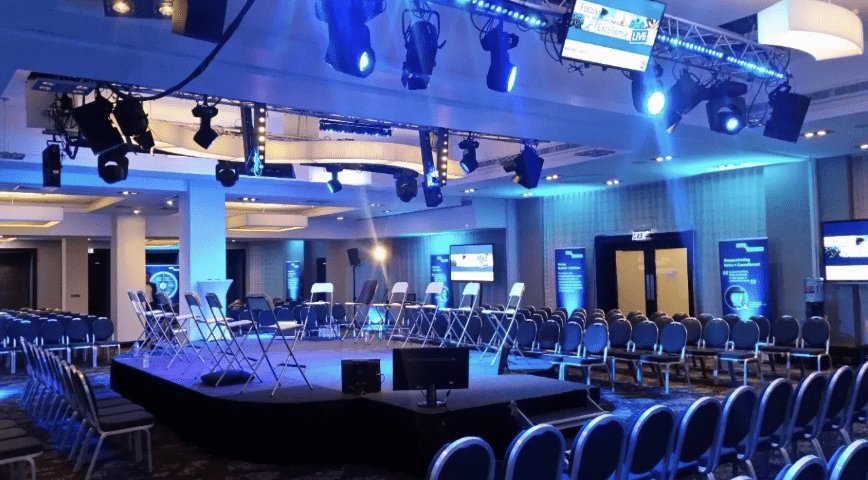
AV stands for audio-visual, and at its core, it’s everything your attendees will see and hear at your event. That includes microphones, speakers, projectors, screens, lighting, video playback, livestream setups, and even your Wi-Fi (yep, that’s part of it too when you’re running digital presentations or hybrid events).
In other words, AV is the invisible thread that ties your event experience together. It’s what makes your content come alive. So, whether you’re planning a cozy mastermind for 25 or a 150-person event, your conference AV setup needs to match the quality and excellence your brand is known for.
Why Quality AV Matters (Even If You Think It Doesn’t for your Conference)
Let’s paint a picture: your keynote speaker is halfway through a story that has the audience hanging on every word… and then—static and a loud pop. The mic fizzles out, someone runs up to fumble with the cables and checking the speakers, and then the momentum is gone.. Poof. people are distracted and your keynote can’t come back from that.
Now imagine instead: clean sound, clear visuals, smooth transitions with dance music in between speakers and breaks– Your audience stays engaged. Your speakers feel confident. Your brand looks polished.
Bottom line? Bad AV can tank a great event. Good AV? It makes your event feel like a million dollar event experience.
The Core Components of Conference AV
Let’s break down what you really need (and what you might think you need but don’t).
1. Sound: Microphones & Speakers
If your attendees can’t hear, nothing else matters. Period. Here’s what to think about:
Microphones – Go with handheld wireless mics for Q&A or panel-style discussions (catchboxes if your playful), lavalier mics for keynote speakers who move around, and podium mics for static presenters.
Speakers – Make sure your venue has enough speakers to reach the back of the room. Ceiling speakers (called “house sound”) in a hotel meeting room can be poor quality—they’re made for background music, not presentations. During negotiations, ask the hotel if they have house sound and when it was last updated so you have a better idea if you should bring in speakers or cut costs by using the built in speakers.
Pro Tip: Always test your mics before the event starts. And have fresh backup batteries.
2. Visuals: Projectors, Screens & TVs
You want your visuals to be crisp and easy to see—even from the back row.
Projectors vs. TVs – Projectors are great for larger rooms with dimmable lights. But if your room is small or full of windows, opt for large-format TVs.
Screens – Ask about rear vs. front projection. Rear projection looks cleaner (no shadow puppets from your speaker), but it takes up more space.
Pro Tip: Double-check aspect ratio. If your slides are 16:9 but the projector is 4:3, things will look wonky.
3. Lighting: Set the Mood (and the Visibility)
You don’t need a full stage rig, but don’t skip lighting altogether.
Uplighting adds drama and color without being distracting
Stage wash lighting helps presenters look great on stage and on camera.
Dimming capability is essential if you’re using projectors or slides.
Pro Tip: Make sure your stage isn’t in total darkness while slides are on screen. No one wants to watch a voice in the shadows.
4. Tech Table: Your AV Nerve Center
This is where all the magic happens.
You’ll want a tech table or “control booth” for your AV techs (even if that’s just your cousin with a YouTube degree). From here, they’ll manage sound, slides, lighting, and video playback.
Pro Tip: Always have a printed run-of-show with slide cues, videos, and timing. Make your AV team your best friend.
Renting vs. DIY: What Makes Sense?
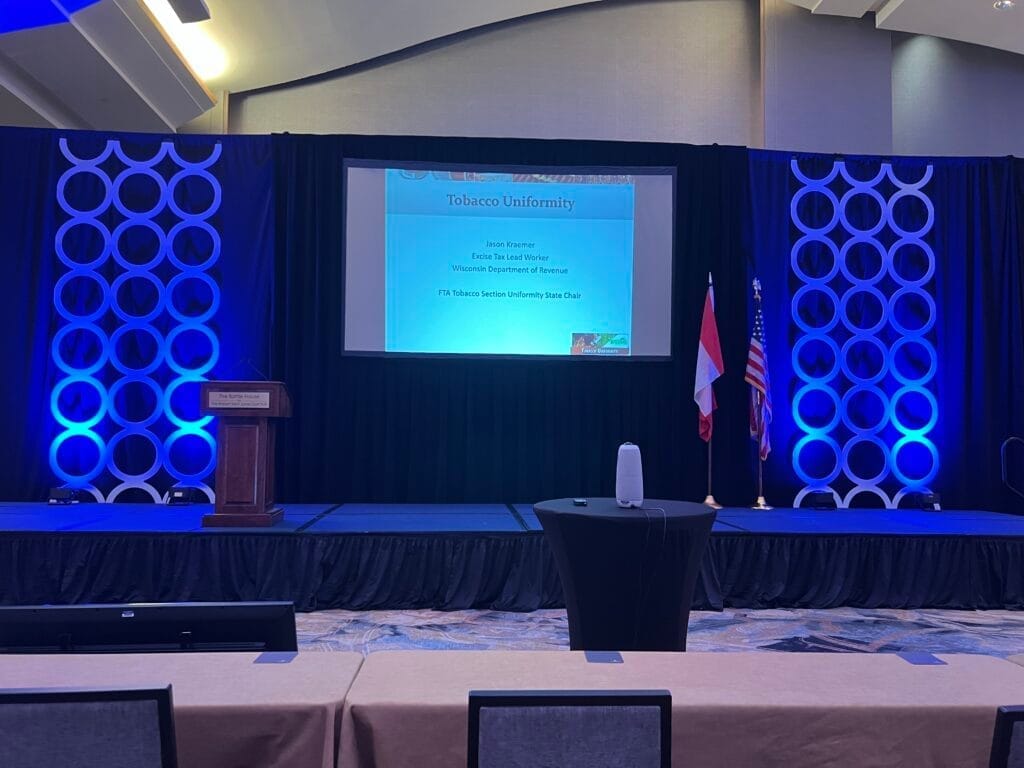
Here’s where a lot of small business owners get stuck: Do I rent professional equipment and hire an AV team, or DIY it?
Let’s be honest—renting a full-service AV package from the venue can be pricey. And if your event is under 100 people, you might not need all that.
Go DIY (with caution) if:
You’re tech-savvy or have someone on your team who is.
You only need one mic, a basic speaker, and a laptop-to-TV setup.
Your event is intimate, casual, or more workshop-style.
Rent AV if:
You’re using more than 2 microphones.
You’re recording or live streaming.
You want to eliminate the risk of “tech panic.”
Your audience expects a polished, professional production.
Pro Tip: Get multiple AV quotes—don’t just default to the venue’s in-house team. Independent AV vendors are often more flexible and budget-friendly.
What to Ask Your Venue or AV Team
Before you sign any contracts, ask these key questions:
1.What AV is included in the rental fee?
2.Is your in-house AV team required, or can I bring in my own?
3.Are there setup or teardown fees?
4.How many techs will be on-site?
5.Can we do a full run-through the day before?
6Do you provide backups (extra mics, batteries, clickers)?
Is there tech support during the event?
Red Flag: If the AV team says, “We don’t need a run-through,” run.
Budgeting for Conference AV
So, how much should you budget? Here’s a ballpark guide for small business events:
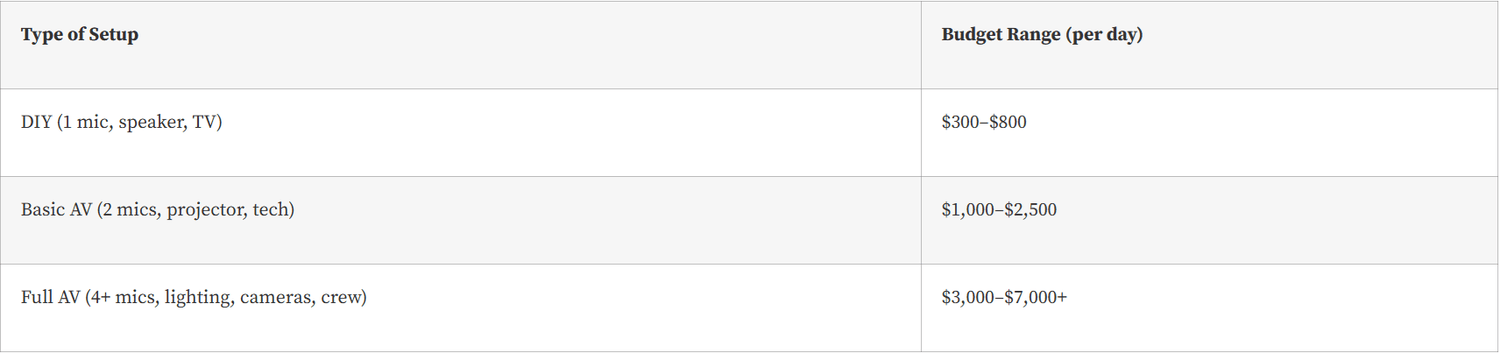
Always buffer in 10–15% for “uh-oh” expenses—like needing an extra mic or emergency tech support.
Final Tips for a Smooth AV Experience
1. Rehearse, rehearse, rehearse. Run through every cue and transition.
2. Bring backups. Cables, adapters, batteries, chargers—pack like a Scout.
3. Have one point person. Let your AV team talk to one person (not six different speakers with competing slide formats).
4. Think like your audience. Sit in the back of the room. Can you hear clearly? See easily?
Record it. Even if you don’t livestream, recording gives you reusable content for marketing, podcasts, or post-event sales.
Wrapping Up
Resources:
Maximizing Your Conference Experience (blog)
Million Dollar Events Podcast — Be sure to like and subscribe

Join the Retreat Insiders
Want to go from $30/hr to $100/hr
Start here ⬇️